See What Your Fuel Discounts Actually Saved You.
Made for RVers who fill up with diesel on a fuel discount program. Upload the statements your program sends you, and MyFuelSavings reads every fill-up, discount and fee and shows what you saved: per gallon, per fill-up, by chain and over time.
Your first 10 statements are free. No credit card required.
Currently works with Open Roads settlement statements and Mudflap receipts. Use a different fuel discount program? Let us know, and we'll consider adding it.
- Saved After Every FeeYour discounts minus every program and transaction fee.
- The Size of Each DiscountHow many of your stops fell in each discount range.
- Where Your Money WentSpent at the pump, discounts, fees, and what you kept.

Your Statements Hold the Numbers. Adding Them Up Is the Work.
Seeing your savings over time has meant a spreadsheet: typing in every stop, writing the formulas, building the charts, and doing it again when the next statement arrives. MyFuelSavings does that part for you.
- Every Fill-Up. Date, place, gallons and price.
- Every Discount and Every Fee. Program fees and transaction fees included.
- Checked Against the Statement's Own Totals. If something doesn't add up, it's flagged for review instead of guessed at.
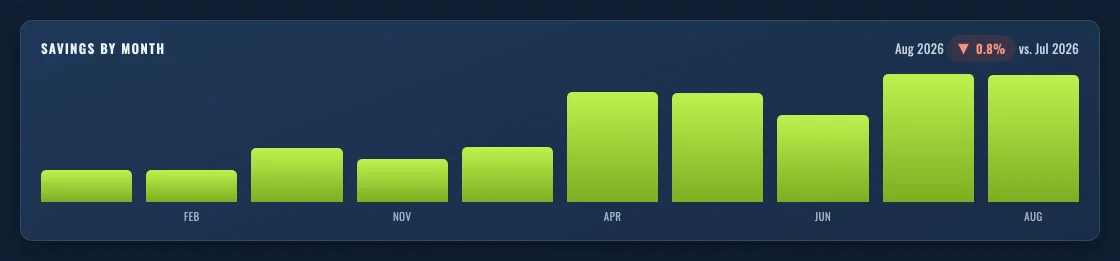
Month by Month
Your savings for every month, and your discount rate over time, so you can see how one season or one trip compares with another.
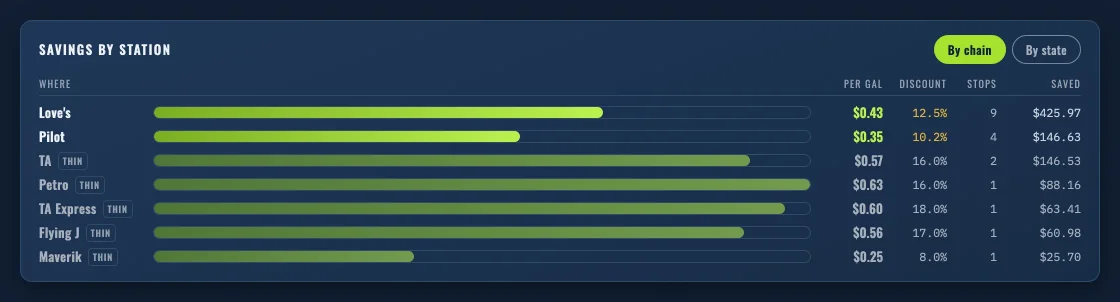
Where You've Saved the Most
Your own stops, ranked by chain and by state. It's a record of your fill-ups, not a rating of any station.
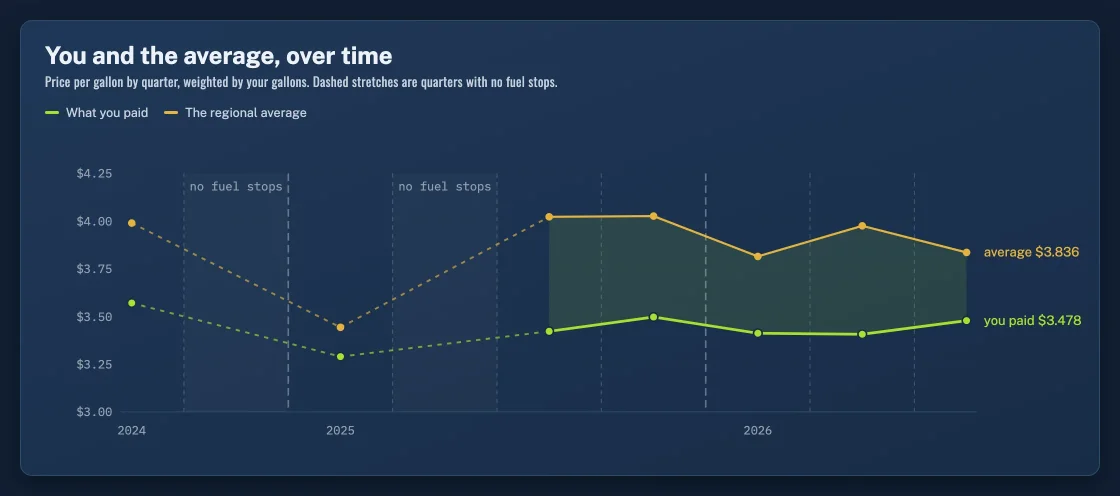
Your Price Next to the Average
Each fill-up set beside the U.S. Energy Information Administration's weekly retail diesel average for the same week and region.
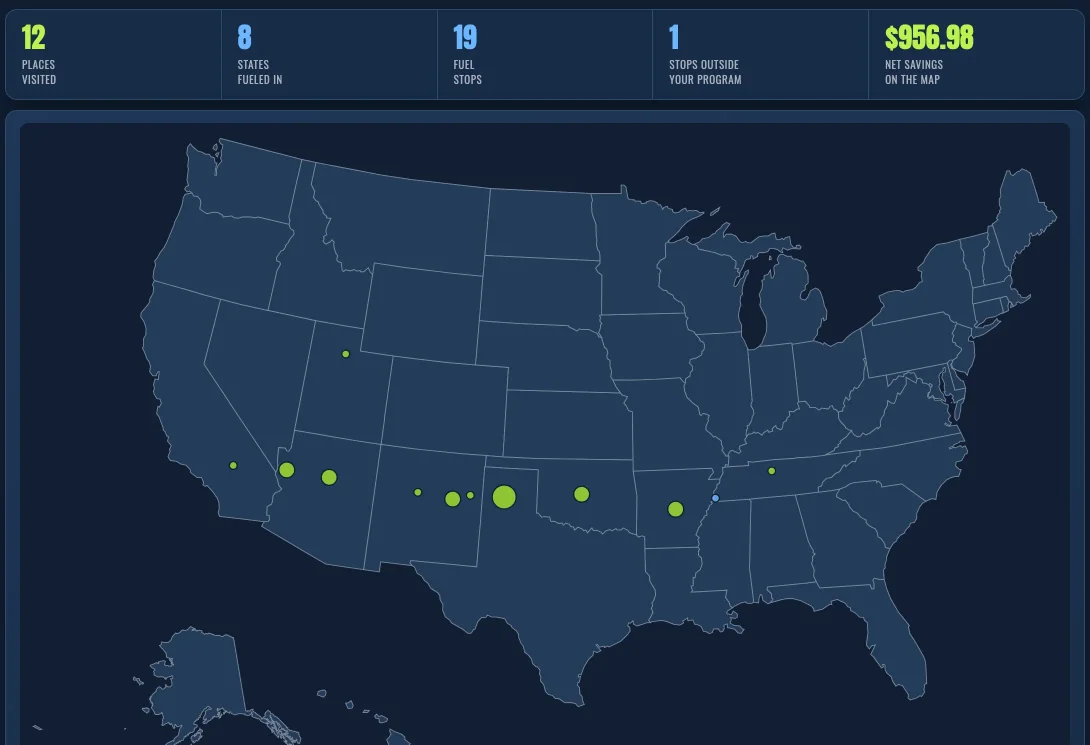
Every Stop on a Map
Pins sized by how often you return.
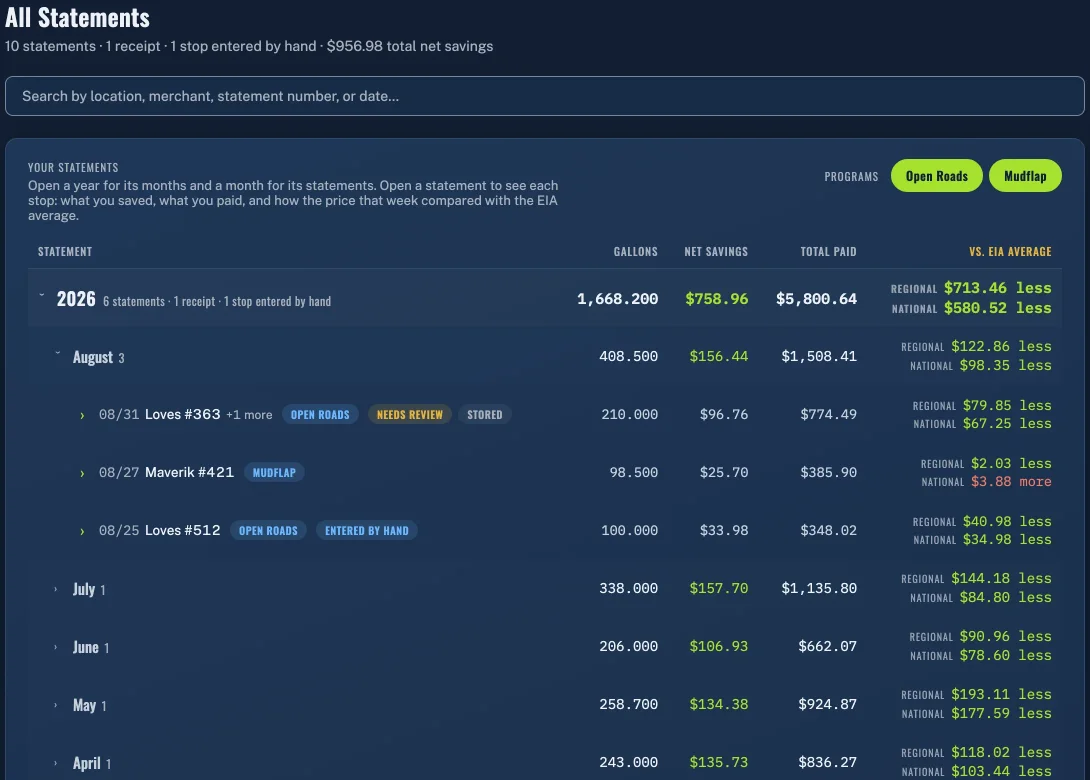
Every Statement, Organized
By year, month and statement, down to each stop.
See these views with your own statements.
Get Started FreeUploading Your Statements
Upload statements from Open Roads, Mudflap or both. Look at your results for each program on its own, or for any combination of them.
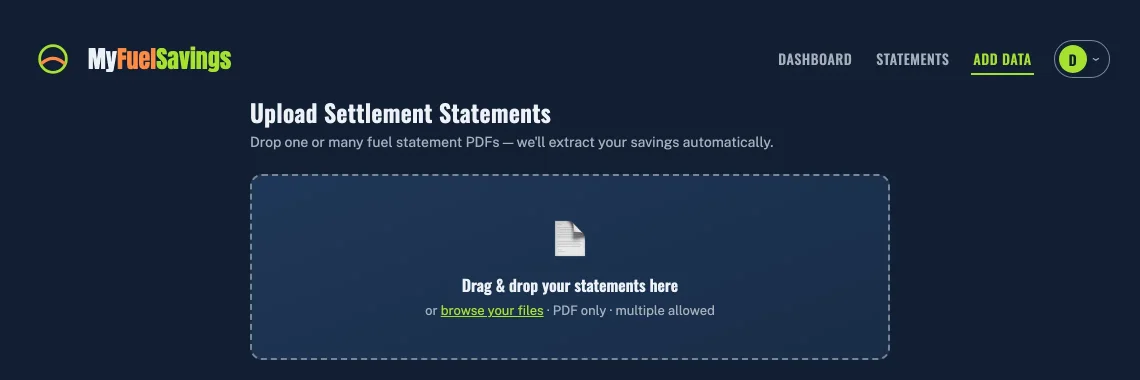
On the Web
Drag your PDFs onto the page, or pick them from a folder. One statement or a year's worth at once.
Upload the same statement twice and it counts once.
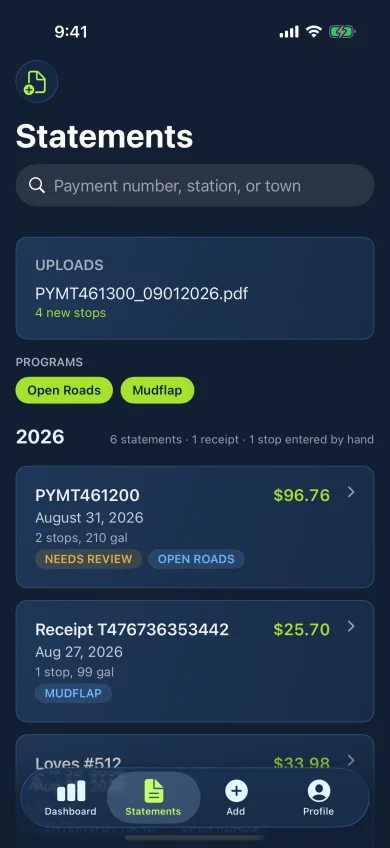
On Your Phone or Tablet
Choose the file in the app, or share the statement from your email straight into MyFuelSavings.
iPhone app shown. Example data.
One Account on Every Screen
Use MyFuelSavings in any web browser, on iPhone and iPad, and on Android. Sign in anywhere and your history is the same.

- iPhone and iPad

- Android

- Any Web BrowserOpen the Web App
Your Statements, Your Data
- The File Is Deleted After It's Read
- Once a statement is processed successfully, the original PDF is removed. The numbers stay; the document doesn't.
- Private to Your Account
- Your data is encrypted and visible only to your account.
- Delete It Yourself
- Delete your data or close your account from your profile, any time. It's a button, not a support ticket.
- Two-Step Sign-In
- Add an authenticator app for a second step when you sign in.
- Email Only If You Ask
- You get marketing email only if you choose to.
- Built on Amazon Web Services
- MyFuelSavings runs on Amazon's cloud platform, on the web and behind the phone apps.
Questions
Who Is MyFuelSavings For?
RVers who fill up with diesel on a fuel discount program and want an easy way to see what those discounts actually save them. Every statement is checked against its own totals, and anything that doesn't add up is flagged for review instead of guessed at.
What Does MyFuelSavings Do?
It reads the statements your fuel discount program sends you and adds them up: what you paid, what you were discounted, what the program charged in fees, and what you saved after fees. You see it per gallon, per fill-up, by chain and state, month by month, and across your whole history.
Which Statements Can I Upload?
Open Roads settlement statements and Mudflap receipts, as the PDF files those programs send you.
Use a different fuel discount program? Let us know, and we'll consider adding it.
How Do You Work Out My Savings After Fees?
Your savings are the discounts on your statements minus every program and transaction fee on them. Credits and adjustments are shown on their own and aren't counted as savings.
Will It Tell Me Where to Fuel, or Which Program to Use?
No. It shows your own history: where you've fueled and what you saved there. It's an accurate record of what you got, not advice about where to stop or which program to join.
Is MyFuelSavings Part of Open Roads or Mudflap?
No. MyFuelSavings is a separate app. It reads the statements and receipts those programs send you.
What Does It Cost?
Your first 10 statements are free. No credit card required.
To upload more after that, you'll need a subscription. You'll see your price in the app before you choose.
What Happens to My Statement Files?
Once a statement is processed successfully, the original file is deleted. MyFuelSavings keeps the numbers from it, not the document. You can delete your data or close your account yourself at any time. The Privacy Policy has the details.
Can I Use It on My Phone?
Yes. There are apps for iPhone and iPad and for Android, and MyFuelSavings works in any web browser. One account, and the same history everywhere.
Get in Touch
A question about MyFuelSavings, or interested in becoming a partner? Send a note and we'll reply by email.
Your First 10 Statements Are Free.
No credit card required. To upload more after that, you'll need a subscription, and you'll see your price in the app before you choose.
Get Started Free